Setting Annual Leave Rules for an Individual Employee
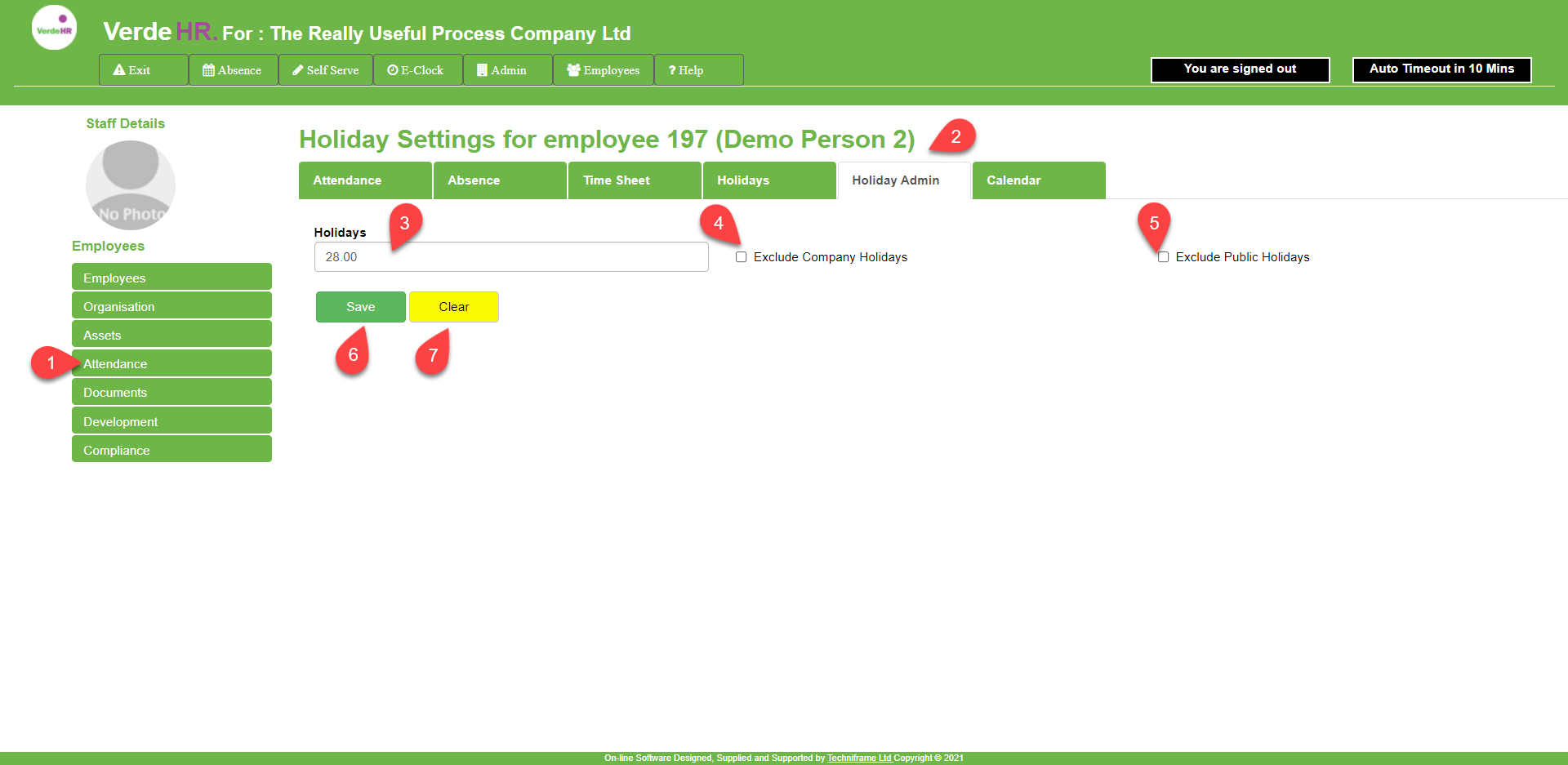
Put the Annual leave entilement for the leave year in the box marked Holidays (see 3 on the screenshot below)
If you have set include Public Holiday and/or include Company Holiday in Admin/Time & Attendance/Holiday Admin, if you don’t want the employee to have Company Holiday or Bank Holiday days deducted from their leave entilememt click on either Exclude Company Holiday and/or Exclude Public Holiday (see 4 and 5 on the screenshot below)
To save your data, press on the Save button (see 6 on the screenshot below)
Amending Annual Leave Rules for an Individual Employee
To amend a record you can either overwrite the form or you can press the yellow Clear button (see 7 on the screenshot below) to clear the form and reinput the data.
To save your changes, press on the Save button (see 6 on the screenshot below)
Screen Shot