Create Company Holidays
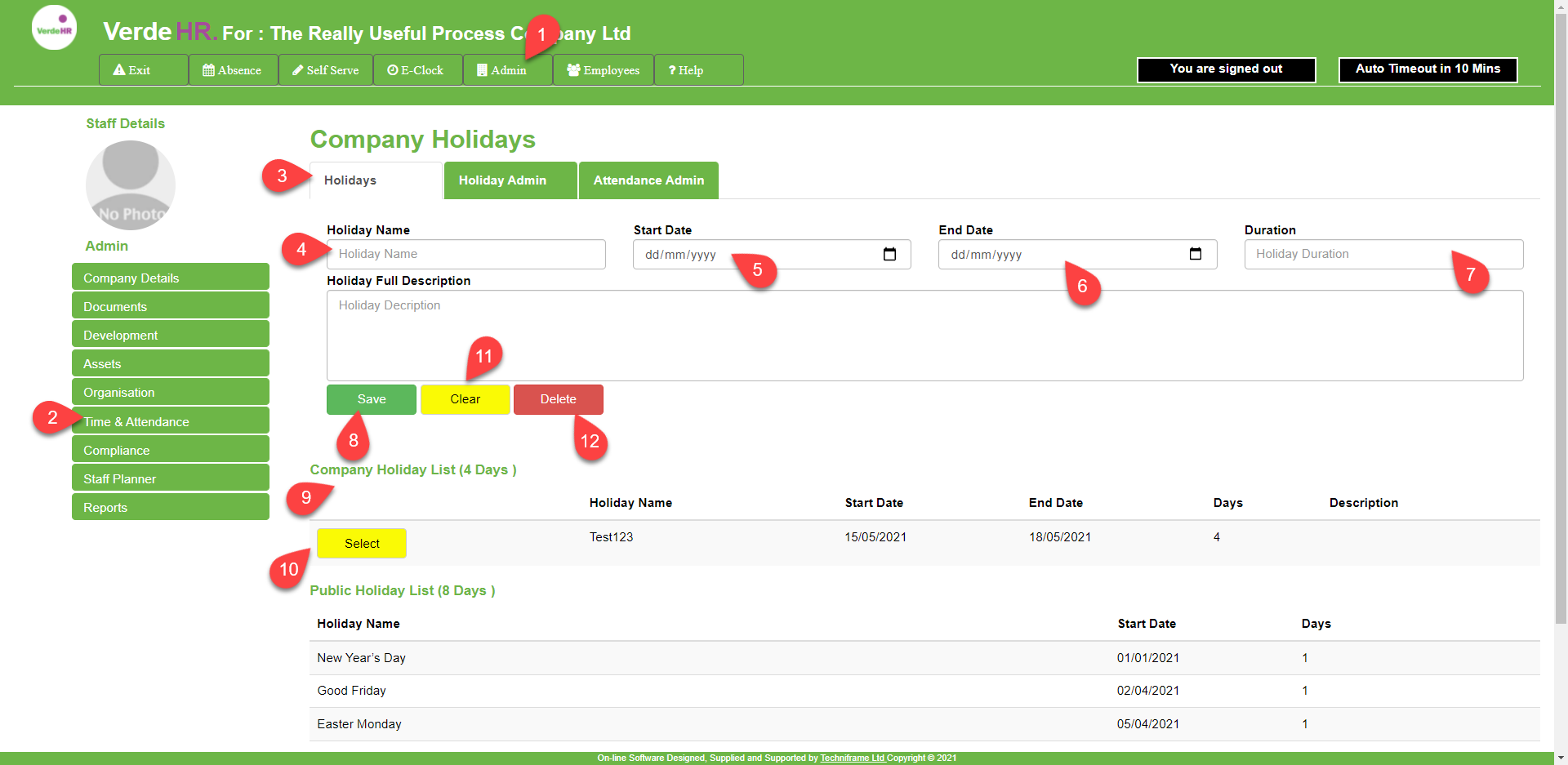
To create Company Holidays go to Admin/Time&Attendance/Holiday as outlined above:
In Holiday Name (see 4 on the screenshot below), give the Company Holiday a name, e.g. Chritmas Closedown
In Start Date and End Date (see 5 and 6 on the screenshot below), you select the start date and end date for that holidays e.g. 27th December to 4th January
In Duration, (see 7 on the screenshot below) You set the number of Working days for that holiday period, e.g. 3
Click on Save (see 8 on the screenshot below)
Edit or Amend a Company Holiday
From the Company Holiday List (see 9 on the screenshot below) select the Company Holiday you want to amend
Press on Select (see 10 on the screenshot below) to open that record
You can amend the record by overwriting it or pressing on the yellow Clear button (see 11 on the screenshot below)
Click on Save (see 8 on the screenshot below)
[mkb-warningIf you have similar Company Holidays each year donot amend last year’s Company Holiday with this year’s dates, otherwise your historical holiday records will not be accurate .[/mkb-warning]
Delete a Company Holiday Record
From the The Company Holiday List (see 9 on the screenshot below) select the holiday record you want to delete
Press on Select (see 10 on the screenshot below) to open that record
Press the red Delete button (see 12 on the screenshot below)
Screen Shot