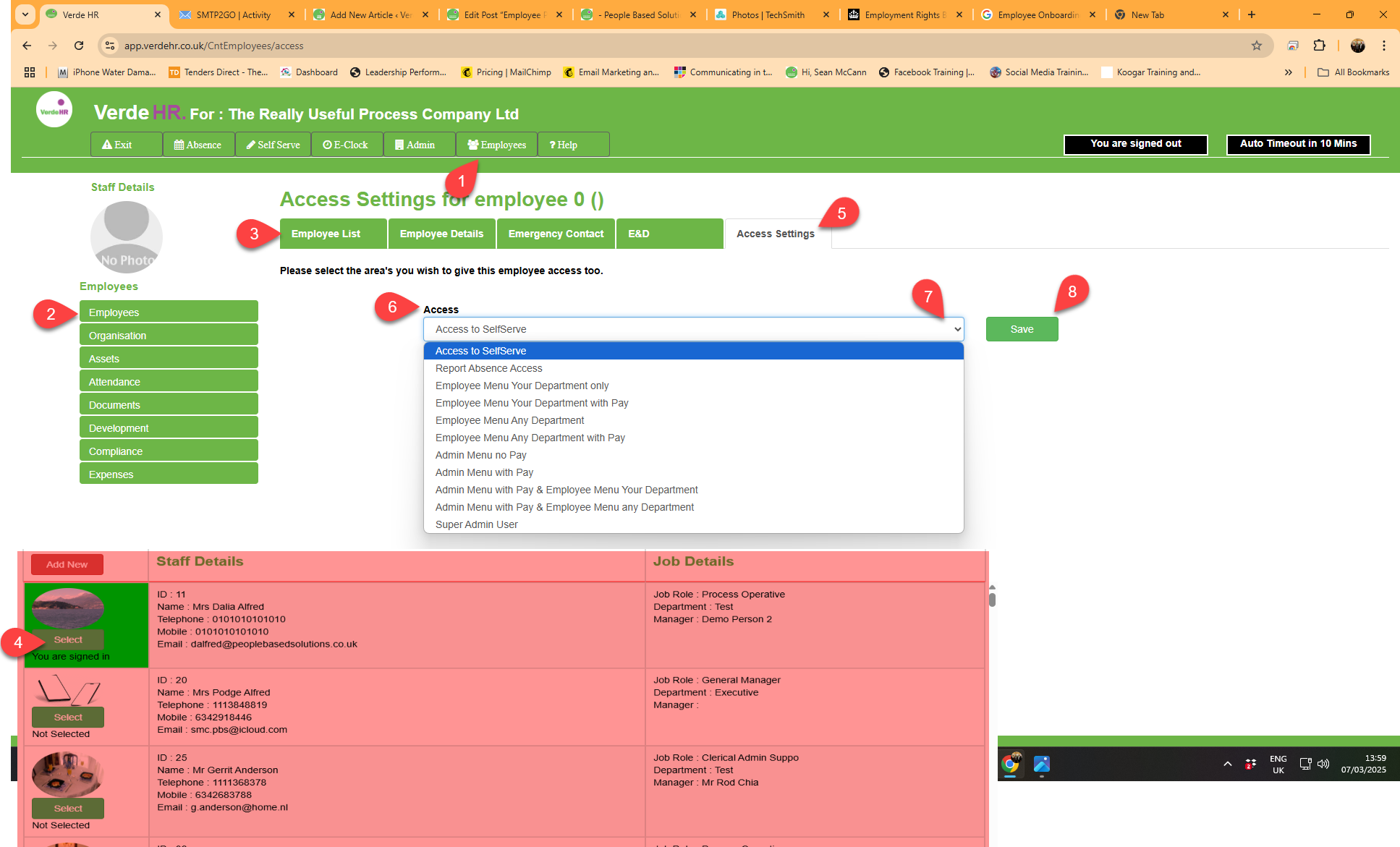
How to change Access Setting
- Select the record you wish to amend from the employee list in Employees/Employees/Employee List and press the Green Select (see 4 on the highlighted section of the screenshot below) Button
- When the record is open select Access Settings from the top sub menu (see 5 on the screenshot below)
- In access (see 6 on the screenshot below) click on the down arrow (see 7 on the screenshot below) to select the required access settings for that user there are 11 options to choose from
- When you have selected the access level you want for that user click on the green Save button (see 8 on the screenshot below)When amend an employee record, you must click on Save to save your update otherwise the amendments will be lost when you move to a new page.
Screen Shot